Series: Hermesagent (3/6)
Hermes Agent Skills System: Getting AI Agents to Do the Right Thing at the Right Time
Have you run into this with AI tools: the same task, every time you ask the AI to do it, it takes a different path — sometimes jumping straight into action, sometimes asking for confirmation first, sometimes skipping a step and causing problems later.
This isn't necessarily a model problem. More often it's: there's no mechanism to give the agent a consistent "in this kind of situation, follow this workflow."
Hermes Agent's Skills system is exactly what solves this.
What a Skill Actually Is
The simplest understanding: a Markdown document that tells the agent "when you encounter this kind of situation, follow this workflow."
It's not a prompt engineering trick, not a piece of system prompt you paste in, not an API plugin. It's an independently existing knowledge document, living in ~/.hermes/skills/, version-controllable, shareable, installable from the Skills Hub, and — this matters — createable by the agent itself after completing a task.
Every skill automatically becomes a slash command:
/plan design a rollout plan for auth migration
/arxiv find papers on diffusion models from last month
/github-pr-workflow create a PR for the auth refactor
The underlying logic: when you type /plan, the agent reads the content of the plan skill — what situations it applies to, what steps to follow, what known pitfalls exist — and then responds according to that document's guidance.
Progressive Disclosure: Why Tokens Don't Explode
You might spot a problem: if all skills are in the system prompt, just the index alone would burn through the context window.
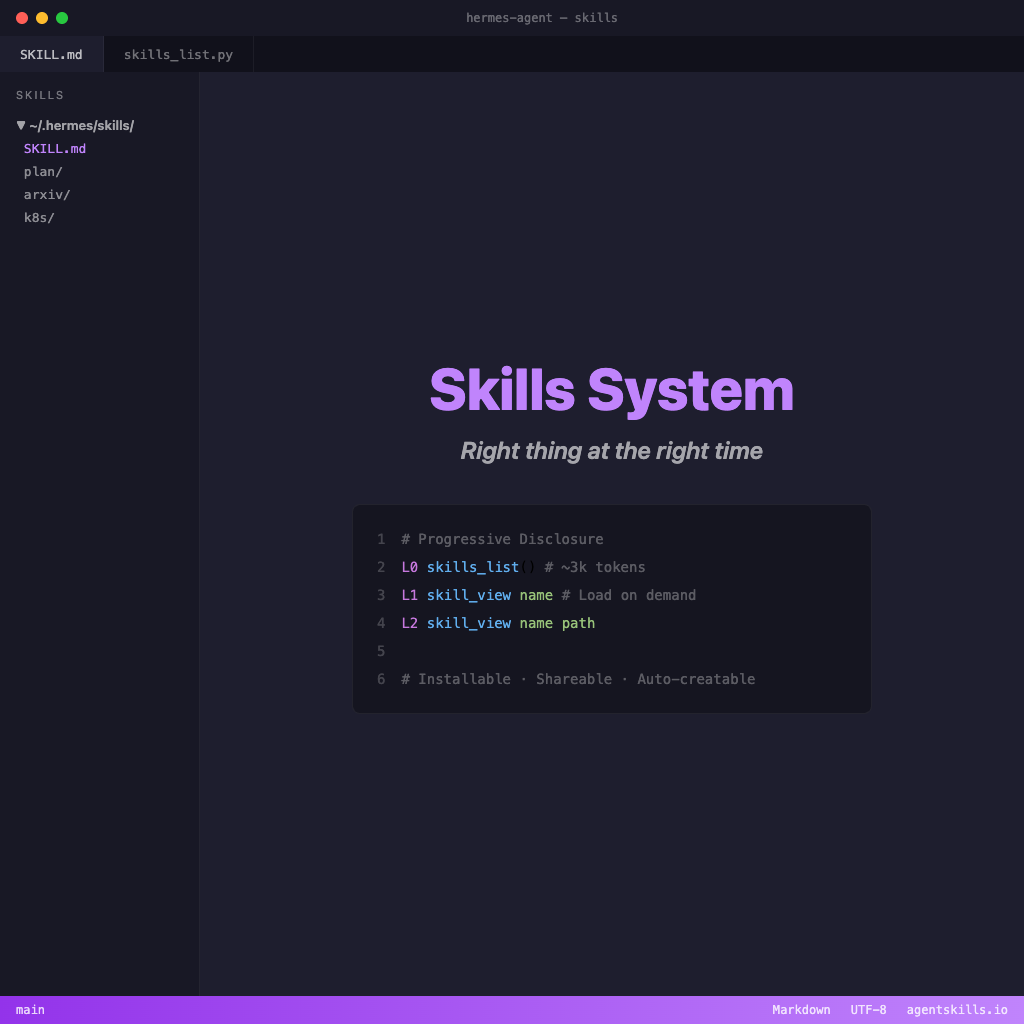
Hermes's solution is Progressive Disclosure — three-level loading:
Level 0: skills_list()          → only shows name, description, category (~3k tokens)
Level 1: skill_view(name)       → full skill content (loaded on demand)
Level 2: skill_view(name, path) → specific reference files (loaded on demand)
At startup, only the index is loaded. When the agent determines it needs a specific skill, it loads the full content. You can have a hundred skills and it won't affect the baseline token cost.
The side effect of this design: you can install many skills without worrying about slowing the agent down — as long as your skill descriptions are clear enough for the agent to determine "this situation needs which skill" at Level 0.
Skill File Format
---
name: my-skill
description: Short description — this is what the agent sees at Level 0
cover: "/images/en/hermes-agent/02-hermes-agent-skills-system.png"
version: 1.0.0
platforms: [macos, linux]   # Optional: restrict to specific OS
metadata:
  hermes:
    tags: [python, automation]
    category: devops
    requires_toolsets: [terminal]  # Optional: only show when terminal toolset is available
---

# Skill Name

## When to Use
What situations trigger this skill.

## Steps
1. First step
2. Second step

## Known Pitfalls
- Pitfall one: description + fix
- Pitfall two: description + fix

## Verification
How to confirm it was done correctly.
The YAML frontmatter at the top determines how the agent discovers this skill; the body tells the agent how to execute it.
Conditional Activation: Only Appears When Relevant
There's one particularly useful design: fallback_for_toolsets.
Hermes ships with a built-in duckduckgo-search skill with the setting fallback_for_toolsets: [web] — meaning: when you have the web toolset available (have a Firecrawl API key), this skill automatically hides itself and the agent directly uses the web_search tool. When you don't have an API key, the DuckDuckGo skill automatically appears and the agent falls back to the free route.
Skill visibility adjusts automatically based on tool availability. No manual management required.
Installing Ready-Made Skills from the Hub
Hermes integrates with several skill ecosystems:
# Browse all skills
hermes skills browse

# Search by topic
hermes skills search kubernetes
hermes skills search react --source skills-sh

# Preview before installing
hermes skills inspect openai/skills/k8s

# Install
hermes skills install openai/skills/k8s
hermes skills install official/security/1password
Supported sources include:
- official: Optional skills maintained by the Hermes team
- skills.sh: Vercel's public skill directory
- well-known: Any website publishing
/.well-known/skills/index.json(e.g. Mintlify documentation sites) - github: Install directly from a GitHub repo
- clawhub, lobehub: Third-party community marketplaces
All skills from hubs go through a security scan before installation — data leakage, prompt injection, and supply chain risks are all checked. --force can override "warning" level blocks, but dangerous level blocks cannot be overridden.
Agent-Created Skills: skill_manage
This is one of the most interesting decisions in Hermes's design: the agent can save workflows it discovers into skills itself.
When an agent completes a complex task (5+ tool calls), finds its way out of a pitfall, or gets corrected by you, it will automatically evaluate "is this workflow worth saving," then use the skill_manage tool to create or update a skill.
# Agent calls internally
skill_manage(action="create", name="deploy-staging",
             content="...", category="devops")

# Subsequent updates use patch instead of full rewrite (saves tokens)
skill_manage(action="patch", name="deploy-staging",
             old_string="old step", new_string="corrected step")
The result: the longer you use Hermes, the more workflow knowledge it accumulates — and that knowledge is your skills, stored in your own ~/.hermes/skills/, not locked in some cloud service.
Write Your Own Skill: 5-Minute Implementation
Say you frequently run a fixed Docker deployment workflow:
mkdir -p ~/.hermes/skills/devops/deploy-dockerThen create a SKILL.md:
---
name: deploy-docker
description: Deploy service to Docker environment with health check and rollback logic
cover: "/images/en/hermes-agent/02-hermes-agent-skills-system.png"
version: 1.0.0
metadata:
  hermes:
    tags: [docker, deploy, devops]
    category: devops
    requires_toolsets: [terminal]
---

# Deploy Docker

## When to Use
When deploying or updating a Docker service.

## Steps
1. Verify docker-compose.yml exists and is up to date
2. Run `docker compose pull` to update images
3. Run `docker compose up -d` to start services
4. Wait 15 seconds, verify container health: `docker compose ps`
5. If any container is unhealthy, execute rollback: `docker compose down && docker compose up -d --no-pull`

## Known Pitfalls
- If a volume path doesn't exist, the container won't start — verify volume directories exist first
- Some images' health checks need more than 30 seconds to become healthy; don't declare failure too early

## Verification
`docker compose ps` shows all services with `running` status, no `unhealthy`.
Save the file, then in Hermes:
/deploy-docker deploy my api serviceThe agent reads your skill and follows the steps. Same every time — never forgets the health check, never skips rollback logic.
Skills Are Hermes's Memory Core
If there's one thing that most distinguishes Hermes from other AI Agent frameworks, the Skills system should rank first — not because slash commands are cool, but because it shifts agent behavior from "improvising based on the model's judgment" to "following clear procedural knowledge."
This is conceptually similar to Superpowers' skill mechanism, but Hermes builds it as a native feature rather than a plugin, and adds Progressive Disclosure's token efficiency design plus the Hub ecosystem — so the entire skill lifecycle (install, use, update, agent self-creation) closes the loop within a single system.