Series: Gsd (5/7)
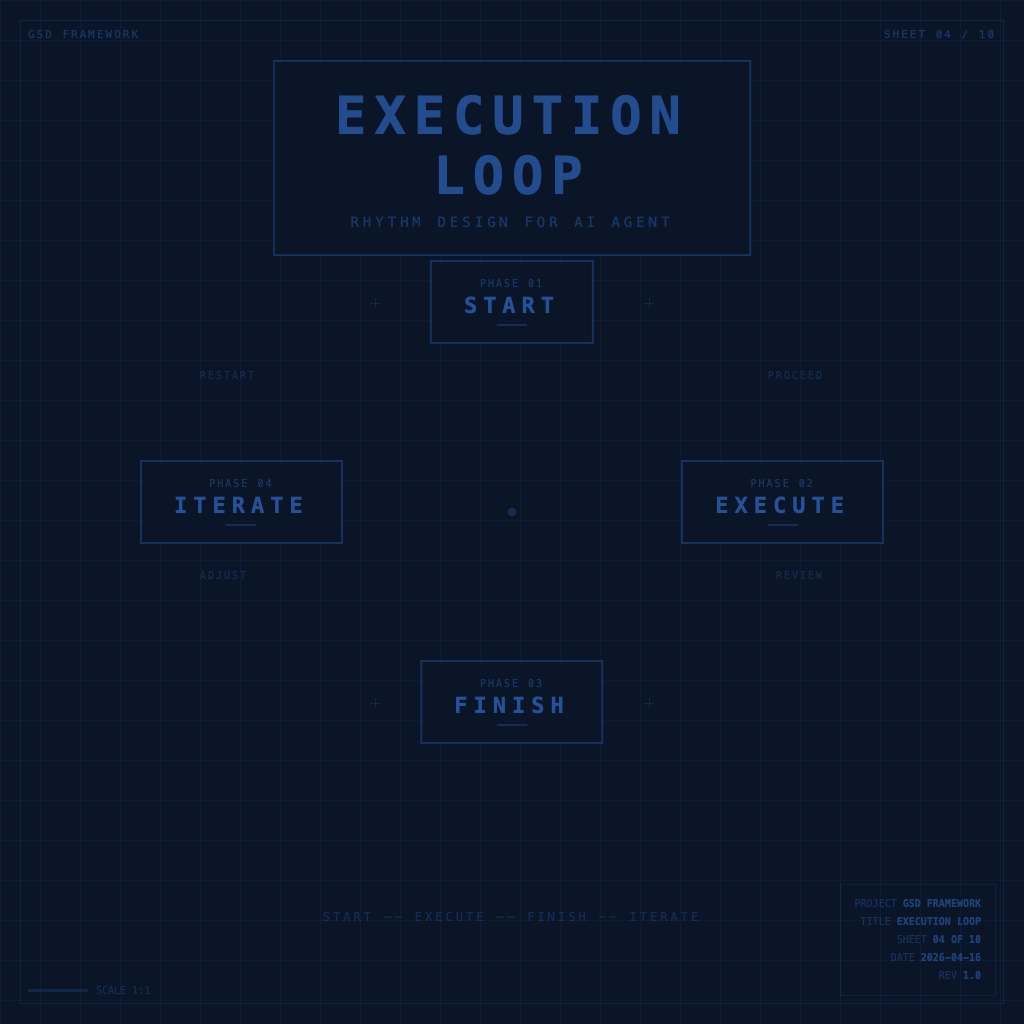
The Execution Loop: Designing Rhythm to Keep Your AI Agent on Track
AI Agents have an interesting quality — they can keep running indefinitely. Tell them to continue, and they continue. Without a stop signal, they don't necessarily know what "enough" means.
That's a strength, and it's also the thing most likely to waste your entire afternoon.
You ask AI to "complete this feature," and it might spend three hours refactoring your entire architecture. You open it up: the direction is right, the quality is decent — but what you wanted today was that small feature, not a refactor.
AI's execution breadth needs your rhythm design to contain it. That's what this article covers: the execution loop.
The Four Phases of the Execution Loop
GSD's execution loop isn't complicated — just four phases:
Start → Execute → Close → Iterate
Each phase has its own challenges and rhythm, and the way you use AI tools in each is different.
Phase 1: Start
Starting isn't "open your computer, open your tools, then see what you need to do" — that's the culprit behind high launch costs.
GSD's launch completes these three things in the first three minutes before work begins:
- Confirm today's task list (take it from the breakdown in the previous article — don't improvise)
- Set the work boundary for this session: "Where does this work stop?" — establish scope first, so you have a baseline for closing
- Establish work context: if using an AI Agent, state the background at the start of the conversation — don't drip it in as you go
The key to starting is separating "deciding what to do" from "doing." Don't do both at the same time. Decision-making is costly — concentrate it in the launch phase, so you don't have to keep stopping during execution.
AI launch prompt template:
Today's task: [specific description]
Scope boundary: [what counts as done for this session]
Context: [necessary background]
I have [X] hours — please help me confirm task priorities first.
Phase 2: Execute
The focus during execution isn't "do a lot" — it's "do the right things, until they're done."
The most common way to drift in this phase: getting led by AI.
During execution, AI very easily "while I'm at it" does things you didn't ask for — added a few features, revised a few extra paragraphs, tweaked a few settings — each small action seems reasonable, and together they mean you've lost control of the task boundary.
Three rules for the execution phase:
Rule 1: Commission one thing at a time
Don't say "get this feature done." Say "complete the validateEmail function first — don't touch anything else." The smaller the scope, the more precise AI's output, and the easier your review.
Rule 2: Review at each small step, not just at the end
For each small action AI completes, check "is this what I wanted" before letting it continue. Waiting until a big task is fully complete before reviewing means if the direction has drifted, the cost is high.
Rule 3: Let AI's "plan" go through your eyes first
If you let an AI Agent plan its own execution, have it list the steps for your confirmation before it starts moving. This costs five extra minutes but can save a lot of rollback time.
Phase 3: Close
Closure is the most frequently skipped phase in GSD, and it's the key that makes a task "truly complete."
A task without closure is psychologically always "unfinished" — even if the code has been merged, the article has been published. That open loop consumes your attention.
Close checklist (pick what's relevant):
- Compare against "completion condition" to confirm output meets the mark
- Record anything "to handle next time" in the appropriate place (not left in the chat)
- Write a brief result record: "what I did this session, what I achieved, where to pick up next time"
- For code tasks: commit, push — don't leave changes local
- For articles or documents: save as a clear versioned file, don't let drafts keep piling up
The purpose of closure is to let your brain say "this thing is done," and genuinely let it go. It's also the prerequisite for quickly "relaunching" the next day — the record is there, no need to reconstruct context from memory.
Phase 4: Iterate
Iteration isn't "take the completed thing and make it better" — that's completion anxiety in disguise.
Iteration is: based on the real feedback you got from the last execution round, decide what to do differently in the next round.
That feedback can come from users, colleagues, test results, or your own fresh perspective after a day — but the prerequisite is that the last round's output was truly "shipped," so there's feedback to receive.
A great scenario for using AI in the iteration phase: paste the feedback you received to AI, ask "based on this feedback, what are the three most worthwhile things to change in the next round" — it can help you quickly prioritize.
Connecting the Four Phases into a Complete Loop
A simple diagram of this rhythm:
Start (3 minutes)
  ↓ Confirm today's tasks + set scope + establish context
Execute (focused work block)
  ↓ Review at each small step + hold the boundary + don't get led by AI
Close (5-10 minutes)
  ↓ Confirm completion conditions + record results + push or publish
Iterate (at next session's start)
  ↓ Based on feedback, decide what to do differently next round
One loop doesn't have to fill an entire day — it can be a 25-minute Pomodoro, an afternoon, or a sprint week. The point is that every round has a clear start, execute, and close.
Frequently Asked Questions
"When I use AI Agents, they often do more than I asked for — what do I do?"
Before every commission, add: "This time only do [scope] — don't touch anything else, even if you see room for improvement." Explicit scope language up front is much cheaper than "please revert" afterward.
"I often start, run for a while, then don't want to close — I just open the next task."
Set a "closure ritual" — doesn't need to take long, but it needs to be consistent. Could be writing a git commit message, or marking a ✅ in your notes. The ritual tells your brain "this loop is closed."
"Feedback is hard to get — what do I do?"
The fastest source of feedback is yourself — finish something, wait a day, come back and read it. You can usually spot what isn't good enough. The second fastest is letting AI play critic: "Pretend you're seeing this for the first time as a user — what's the biggest problem here?"
Next Step
With the loop design in place, the next thing to watch for: a few very common patterns of "looks like executing but not actually progressing" — recognizing them lets you escape before you fall in.
That's what The 3 GSD Traps: Why More Planning Leads to Less Completion covers.
Back to Series Overview
This is the fourth stop in the GSD series, covering execution loop design and AI Agent rhythm management. For the full reading path and other article topics, return to the GSD Beginner Course.