Series: Openspec (6/6)
Real-World Usage: New Features, Bug Fixes, Adding OpenSpec to Existing Projects
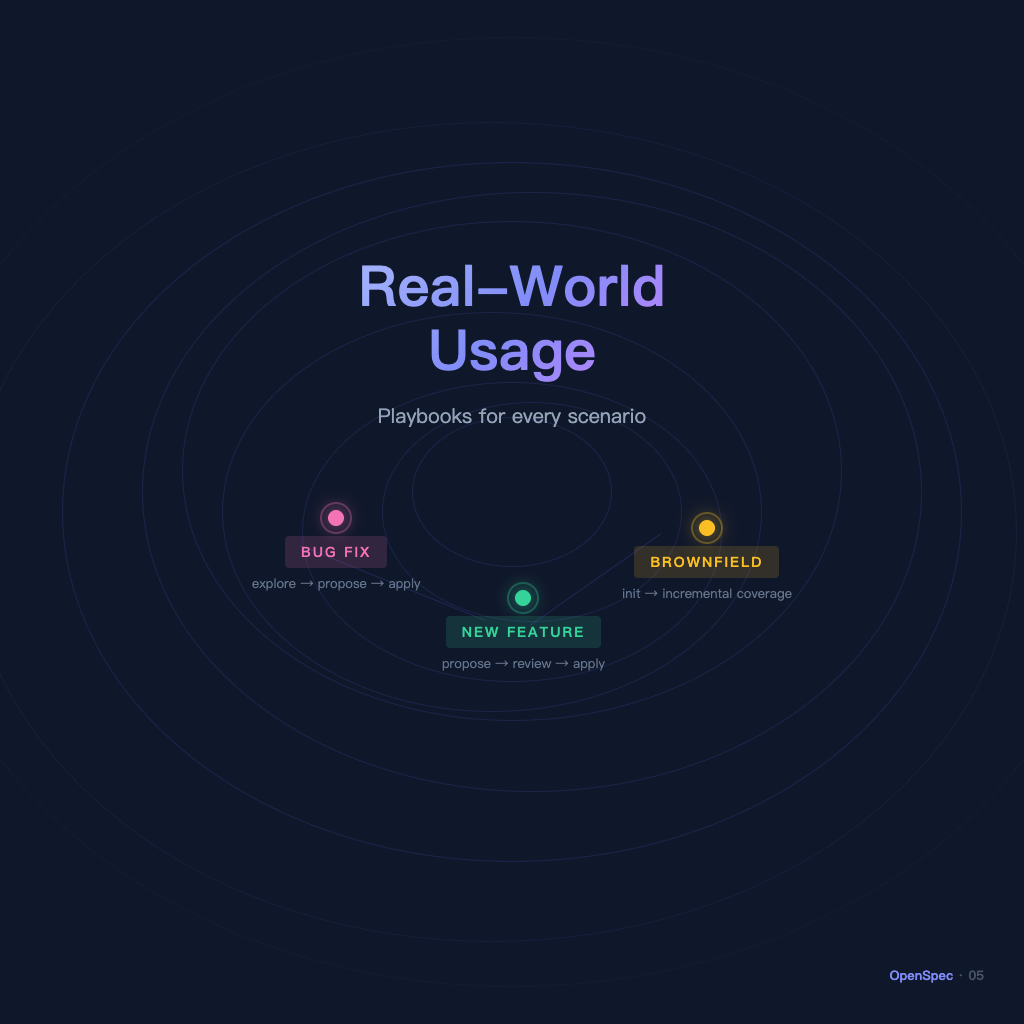
The first four articles covered OpenSpec's concepts and workflow clearly enough, but "knowing how to run it" and "knowing where to start when real work begins" are two different things. This article uses the three most common scenarios as templates, each with its own corresponding playbook.
Scenario 1: Developing a New Feature
This is OpenSpec's most standard use case. Three commands get it done:
Playbook: explore (optional) → propose → apply → archive
If requirements aren't clear yet, start with explore:
/opsx:explore Users are reporting that search results are sorted incorrectly — what could be causing this?
AI will dig into the codebase, explain the existing logic, and help you decide what to change. Once you're clear on the direction, propose:
/opsx:propose fix-search-ranking
AI generates four artifacts. Carefully review proposal.md and the delta in specs/, confirming "yes, these are the exact behaviors we're changing" — don't skip this step. The cost of discovering a wrong direction after implementation is far higher than five minutes of review here.
Confirm everything looks right, then /opsx:apply to implement and /opsx:archive to wrap up.
Common beginner mistake: Running apply immediately after propose without reviewing the artifacts. The generated proposal and tasks can sometimes drift from what you intended, especially when your requirement description was vague. Five minutes of review saves a lot more than reworking a wrong implementation.
Scenario 2: Fixing a Bug
Bug fixes follow nearly the same workflow as new features, with one key difference — understand the root cause before you propose. Don't rush to propose.
Playbook: explore (define the problem) → propose → apply → archive
Start by using explore to articulate the problem:
/opsx:explore Users occasionally lose their session after logging in, especially on Safari. How does the current session management logic work?
Once AI has dug through the codebase and you have shared understanding of the root cause, then propose:
/opsx:propose fix-safari-session-expiry
The proposal.md here should clearly state: what the root cause is, which behavior is being fixed, and what "done" looks like. In the delta spec, if the existing spec already describes session behavior, this change will likely be MODIFIED.
Why run bug fixes through OpenSpec? Because once fixed, the repaired behavior becomes the system's new current state and should be reflected in the spec. The next time someone works on the same feature, they'll see in the spec that this area has a fix history and decision background — much easier than digging through git blame to find commit messages.
Scenario 3: Adding OpenSpec to an Existing Project
You have an existing project with no specs at all and want to bring in OpenSpec — you don't need to document everything before you start using it. Adding coverage incrementally as you work is the right approach.
Playbook: init → create a change for the first modification → run OpenSpec for every subsequent change → specs grow naturally
After installing and initializing, don't try to write specs for the entire system at once — that becomes another "let me finish the documentation before I can do any work" deadlock.
The correct approach: the next time you add a feature or fix a bug, run it through OpenSpec. When /opsx:propose runs, the AI-generated delta spec will describe the behaviors involved in the change, and after archiving they'll land in openspec/specs/. That's it — a little coverage added with each change, and specs gradually fill out.
If you want to proactively document a few core domains, you can tell AI:
/opsx:explore Analyze the src/auth/ directory and summarize the existing authentication behaviors in preparation for writing openspec/specs/auth/spec.md
After AI reads through the codebase, you can have it generate the initial spec file and place it in openspec/specs/. It doesn't need to be perfect — capturing the main behaviors is enough.
The common mental blocker with legacy projects: "Is it too late to start now?" It's not. Start today and the next feature already has a runway. Don't start, and a year from now you'll still be guessing where AI ran off to. From the very first propose, you're on the right track.
Advanced: Multiple Changes in Parallel
If you have two features in development at the same time — no problem, OpenSpec supports it:
openspec/changes/
├── add-dark-mode/        ← you're working on this
└── fix-search-ranking/   ← a teammate is working on this
Each change's artifacts stay in their own folder and don't conflict. When archiving, each delta spec merges into its corresponding domain spec independently.
For team collaboration, use CLI commands to check status:
openspec list                    # List all in-progress changes
openspec show add-dark-mode      # View details for a specific change
Keep This Table Handy
| Scenario | Starting Move | Watch Out For |
|---|---|---|
| New feature (clear requirements) | /opsx:propose <change-name> |
Review artifacts before applying |
| New feature (vague requirements) | /opsx:explore first |
Get clear before proposing |
| Bug fix | /opsx:explore to define root cause |
Fix decisions should be written into spec |
| Adding to legacy project | openspec init + run the next feature through it |
Add incrementally, don't wait to document everything |
After five articles, you now have a reusable OpenSpec workflow. The next time you're about to tell AI to get to work, spend ten minutes on /opsx:propose first, confirm the artifacts look right, then apply — just that one discipline will almost certainly cost less than fixing a wrong direction afterward.
Back to the series index: OpenSpec Beginner's Guide: 5 Articles to Master Spec Management for AI Development