Series: Openalice (2/6)
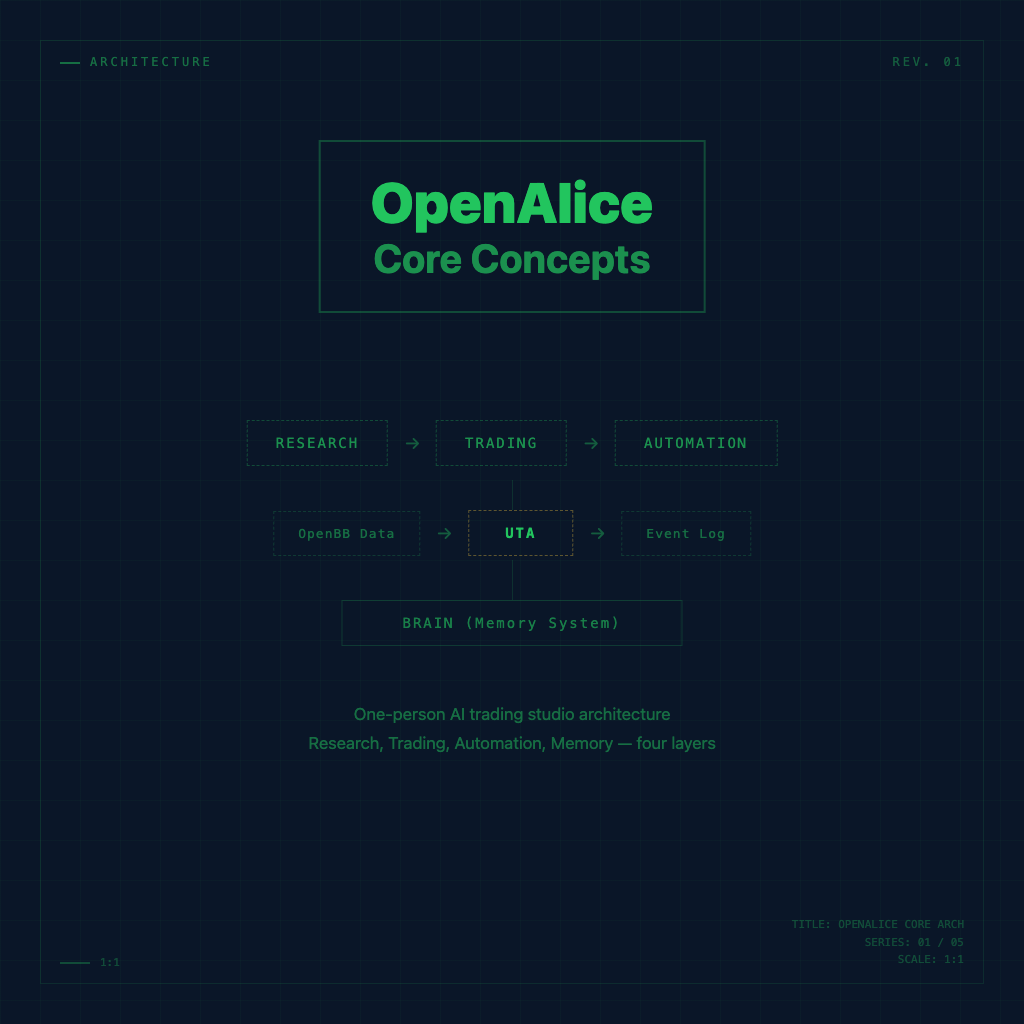
What Is OpenAlice? The Core Concepts Behind a One-Person AI Trading Studio
You've probably heard this kind of story — some mysterious quant fund, dozens of quant engineers staring at screens, running backtests in Python every day, tuning parameters, placing orders; then one month they blow 30%, and they keep going anyway.
Ordinary people look at that world and have an instinct: this isn't a game I can play.
The people who built OpenAlice probably found that absurd too. So they created an open-source AI trading agent with one goal: let a single person do what used to require an entire small investment team — research markets, analyze fundamentals, execute trades, monitor automatically — all through a conversational AI.
What "Your One-Person Wall Street" Actually Means
OpenAlice's official positioning is your one-person Wall Street. That phrase needs unpacking.
It's not saying "it'll make you better at picking stocks." It's saying it gives you the ability to complete the entire investment process on your own — from discovering market opportunities, doing research, making decisions, and executing trades, to automated post-trade monitoring.
In a traditional workflow, those four things belong to different roles: analyst, strategist, trader, risk manager. OpenAlice tries to have one AI system cover all of them.
Whether it can actually replace all four depends on how you use it — but just the fact that "you can string all four together in a single interface" is something that didn't exist anywhere in the past decade.
Core Architecture: Four Layers
The fastest way to understand OpenAlice is to see how it splits its functionality into four blocks.
1. Trading Layer
OpenAlice introduces an abstraction layer called the Unified Trading Account (UTA). You can connect multiple brokerage accounts to it, but the AI always interacts only with the UTA — never directly with individual broker APIs.
This design isn't just for convenience. The underlying logic is: the AI's decision-making object should be your overall position, not the balance of any single account. Your long position at Broker A, your hedge at Broker B, your cash at Account C — OpenAlice sees all of it as a single unified view.
The other core design is the Guard Pipeline: you can set maximum position sizes, cooldown periods, whitelisted instruments, and even custom rules. This is the safety guardrail that keeps the AI from "going rogue" when executing trades — no matter how smart the AI is, it can only operate within the boundaries you've drawn.
2. Research and Analysis Layer
OpenAlice has a TypeScript-native OpenBB engine built in, running in-process, with no extra setup required.
Asset classes covered: stocks, crypto, commodities, forex, macroeconomic indicators. You get a unified cross-asset symbol search, plus a technical indicator calculator with Excel-formula-style syntax.
On the fundamentals side, there's company financials, financial ratios, earnings call calendars, insider trading records, and market anomalies — stock coverage is deepest right now, with other asset classes being filled in over time.
News is continuously collected in the background via RSS feeds, searchable through globNews, grepNews, and readNews.
3. Automation Layer
The core of OpenAlice is an append-only event log. All system activity — trades, messages, scheduled triggers, heartbeat monitoring results — flows through this log as typed events, with real-time subscription support.
This design makes automation clean:
- Cron schedules — set a time or interval, events fire into the log, the AI reads them and executes
- Heartbeat — a special cron job that periodically reviews market conditions and only notifies you when something actually warrants attention
- Webhook — external system triggers (in development)
In other words: OpenAlice can be proactive — you don't always have to go ask it. Under the conditions you set, it can come to you and tell you what's worth paying attention to.
4. Interface Layer
OpenAlice has three interaction entry points:
- Web UI — the main interface, with real-time streaming chat, sub-channels, a portfolio dashboard, and equity curve visualization
- Telegram — mobile access, with a trade review panel
- MCP Server — a tool exposure interface that lets external AI Agents call OpenAlice's tools; there's also an MCP Ask endpoint so other agents can talk to Alice directly
That last MCP integration is interesting — your OpenAlice can become a tool call target for another AI Agent. AI calling AI: this path is starting to look pretty clear.
Why "Conversational" Is the Right Design
The problem with traditional quant tools isn't that they lack features — it's that the operational barrier is too high: you need to write strategy code, maintain a backtesting framework, wire up various APIs, figure out automated deployment — just getting the environment running can eat a whole weekend.
OpenAlice's choice: hide all of that behind the AI, and let you communicate with it in natural language.
This isn't "making the functionality weaker" — it's "lowering the entry bar from engineer to user." You can still design complex trading rules, set up fine-grained Guard Pipelines, do multi-asset correlation analysis — you just don't need to code to do any of it.
Of course, this also means your depth of understanding determines how much you can do with it. That's exactly what this series is here to fill in.
Brain: Memory That Lets AI Actually "Know You"
One last thing worth mentioning that many people might miss: Brain.
OpenAlice has a persistent cross-conversation working memory system, plus emotional tracking. That means it doesn't need you to re-explain "what are my investment preferences, which instruments am I watching, where did we leave off last time" at the start of every session — it already knows.
This might sound like a small thing, but if you've ever used ChatGPT for research, you've probably experienced the frustration of saying the same background information for the third time. Brain solves exactly that.
Common Questions
Is OpenAlice fully automated trading? Not entirely. It can set up automated schedules and Heartbeat monitoring, but the Guard Pipeline gives you complete control over execution boundaries — it operates automatically within the range you've defined, and stops beyond it. You can make it increasingly automated, or maintain a high level of manual review, depending on your settings.
What API keys do I need to get started? The default setup uses your local Claude Code login (Pro/Max subscription) — no additional API keys required. If you want to use the Vercel AI SDK with your own OpenAI/Gemini key, Claude Code becomes optional. Broker API integration depends on which accounts you want to connect.
Does it support non-US markets? The documentation currently mentions equity, crypto, commodity, currency, and macro data. Coverage depth for non-US markets depends on OpenBB's data sources — you'll want to test this yourself for the specific markets you care about.
The Architecture in One Sentence
OpenAlice isn't telling you how to pick stocks — it's helping you automate, systematize, and make repeatable your entire investment decision process, with AI as your execution partner running inside that workflow.
That difference becomes clear within the first week you start using it.
Back to the Series Overview
This is the first stop in the OpenAlice series, covering core concepts and overall architecture. The next article is OpenAlice Installation and Quick Start, which gets your environment up and running in 5 minutes. The full reading map is at OpenAlice Beginner's Course.